AI room design for empty listing photos

Upload a photo of an empty room, tell the studio what the room is and pick a style, and AI room design furnishes it for you: sofa, beds, rugs, lamps and plants sized to the space. The architecture is held as photographed, so the staged picture still shows the real room a buyer will walk into. Every staged download carries a "Virtually staged" label unless you confirm you will disclose staging in the listing yourself.

From $21.85, with free credits for one quick try at sign-up

Updated

Drop a room photoJPG, PNG or WebP up to 10 MB, no people in the frame. Only your account can see it.

Mode

Quick try 20 credits · listing size 30 credits

Sign up free: 20 credits
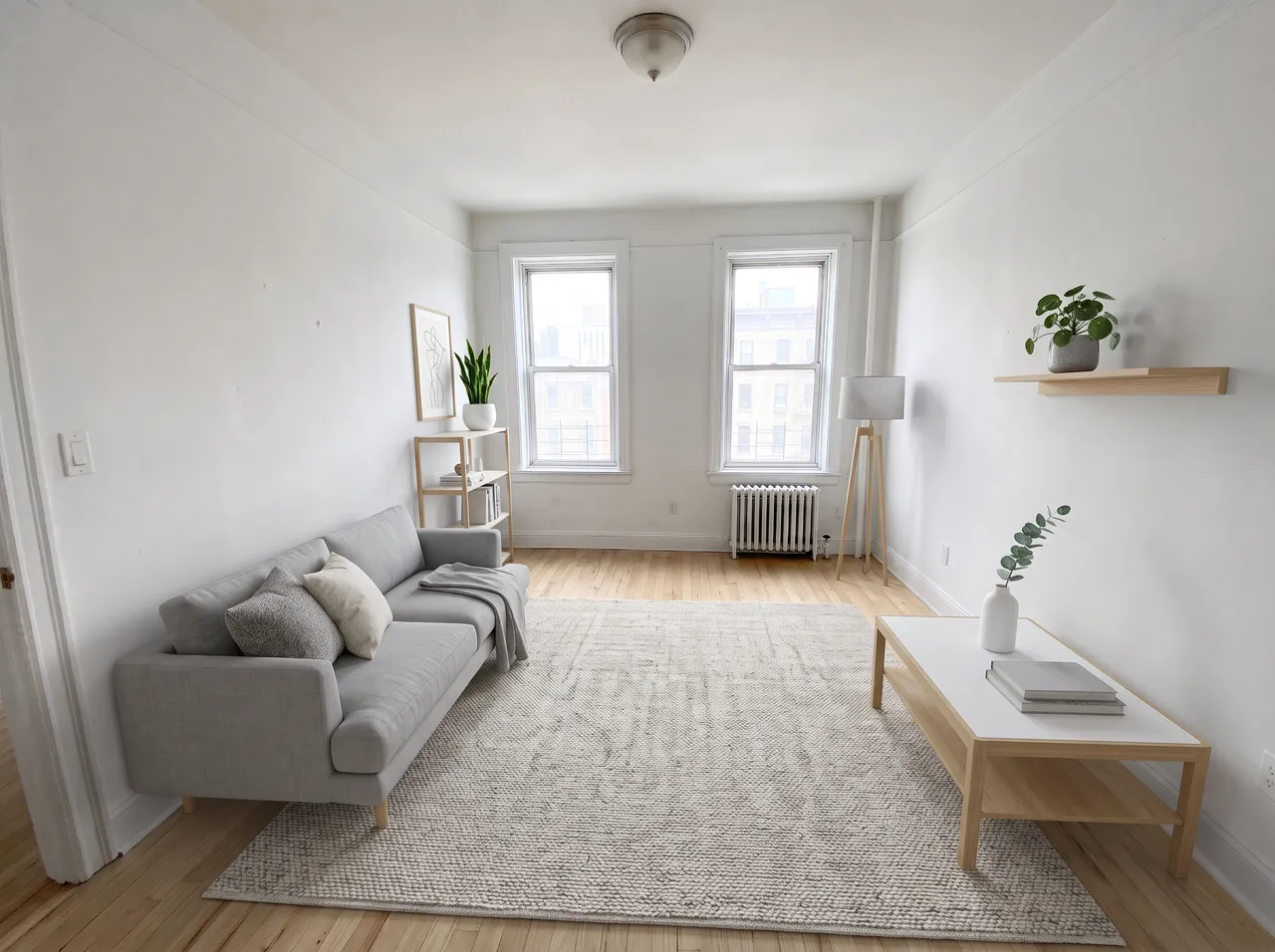
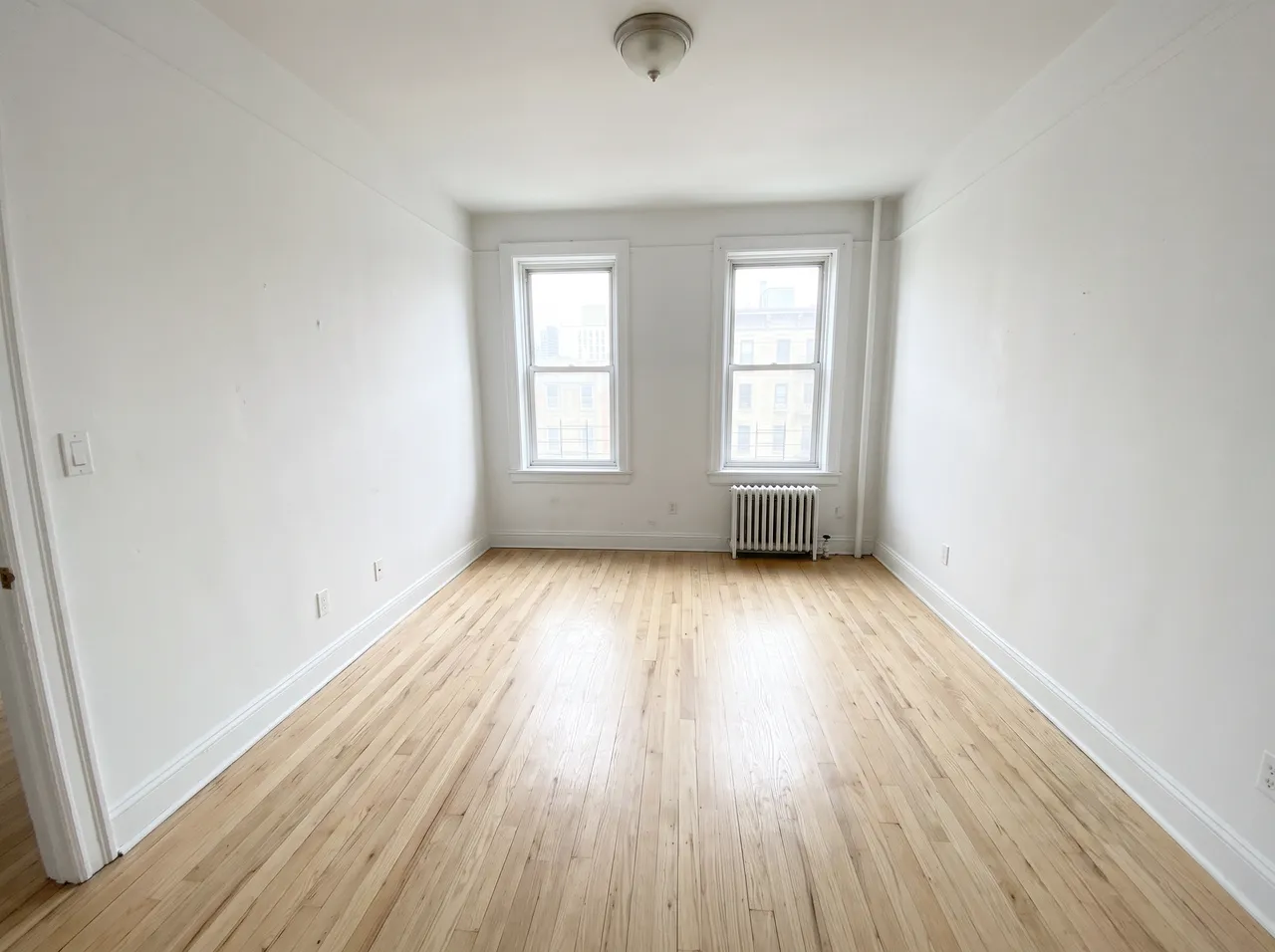
An empty living room with oak floors and two tall windows, staged with a light Scandinavian sofa, rug and floor lamp: AfterAn empty living room with oak floors and two tall windows, staged with a light Scandinavian sofa, rug and floor lamp: BeforeBeforeAfter

How it works

  1. 1

    Upload the empty room

    A JPG, PNG or WebP up to 10 MB. A level, wide shot taken from a corner gives the model the most floor to furnish. Photos with people in them are refused, so shoot the room on its own.

  2. 2

    Choose the room type and a style

    Pick living room, bedroom, kitchen, dining room, home office, bathroom or outdoor, then one of twelve styles. Add a short note if you like, such as "a reading chair by the window". Pick 1K for a quick try or 2K for the listing.

  3. 3

    Check the structure, then download

    Drag the slider to compare the empty and staged room. The studio checks that walls, windows and doors stayed put; if they look moved, that room gets one free re-render. Download with the label on, or switch it off after ticking the disclosure box.

Good for

  • Agents listing a vacant flat or house that photographs cold and bare
  • Landlords who want renters to picture a furnished home
  • Showing one empty room in two or three different styles
  • Short-let hosts testing a layout before buying furniture
An empty living room with oak floors and two tall windows, staged with a light Scandinavian sofa, rug and floor lamp: AfterAn empty living room with oak floors and two tall windows, staged with a light Scandinavian sofa, rug and floor lamp: BeforeBeforeAfter

Stage · Living room · Scandinavian

Show the exact instruction: Virtually stage this empty living room in a Scandinavian: light oak, white and soft grey, simple shapes, wool and linen textiles interior style. Add furniture, rugs, lighting fixtures, plants and decor sized to fit the room, arranged the way a professional home stager would. Keep the architecture exactly as photographed: walls, windows, doors, floor, ceiling, stairs, built-in fixtures, the view through the windows, the camera angle and the framing must not change. Do not add or remove windows, doors or rooms, do not change the floor area, and do not hide any damage. Add no people, pets, text, logos or watermarks. Keep the photo realistic, with natural light that matches the windows.

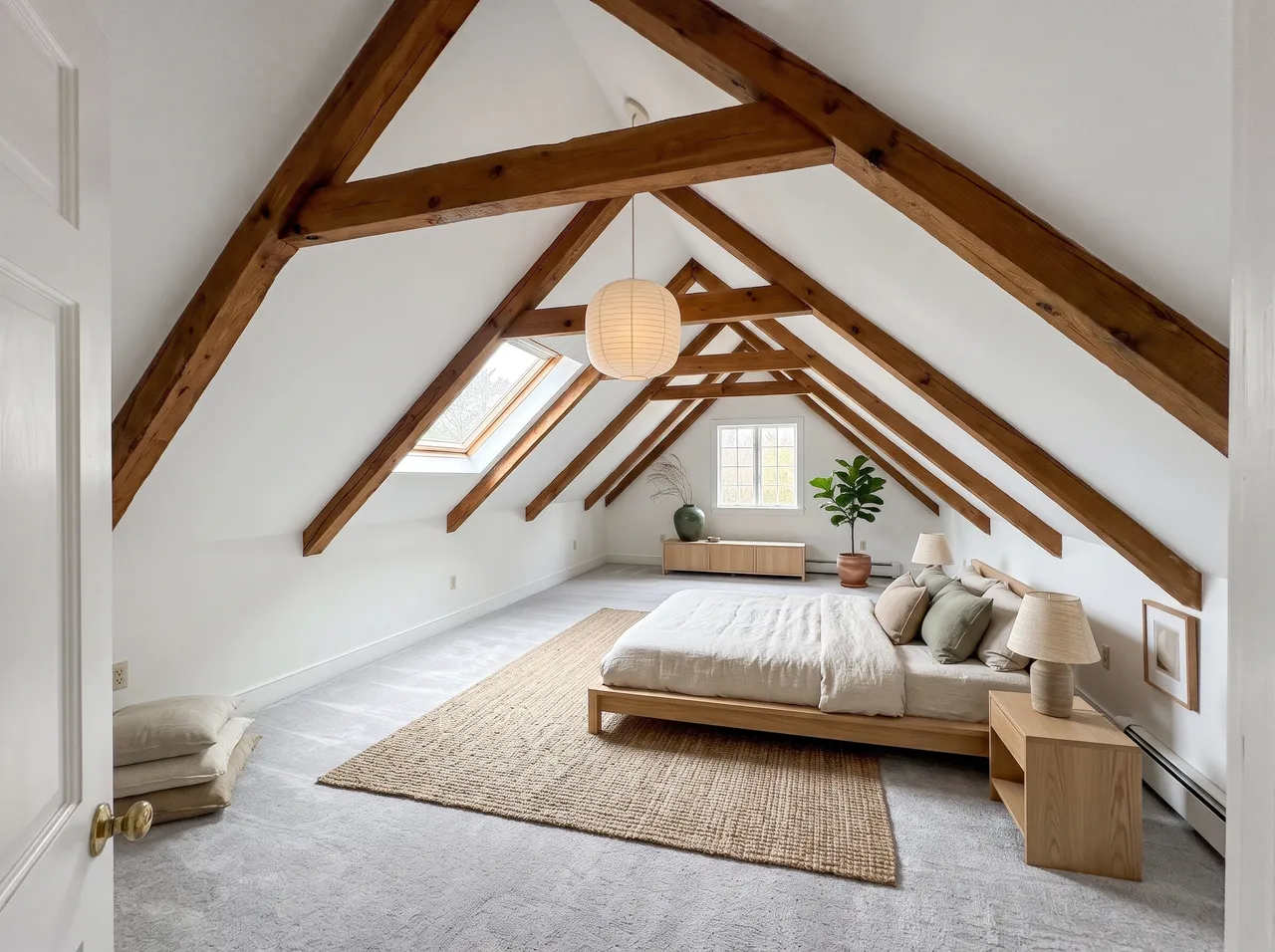
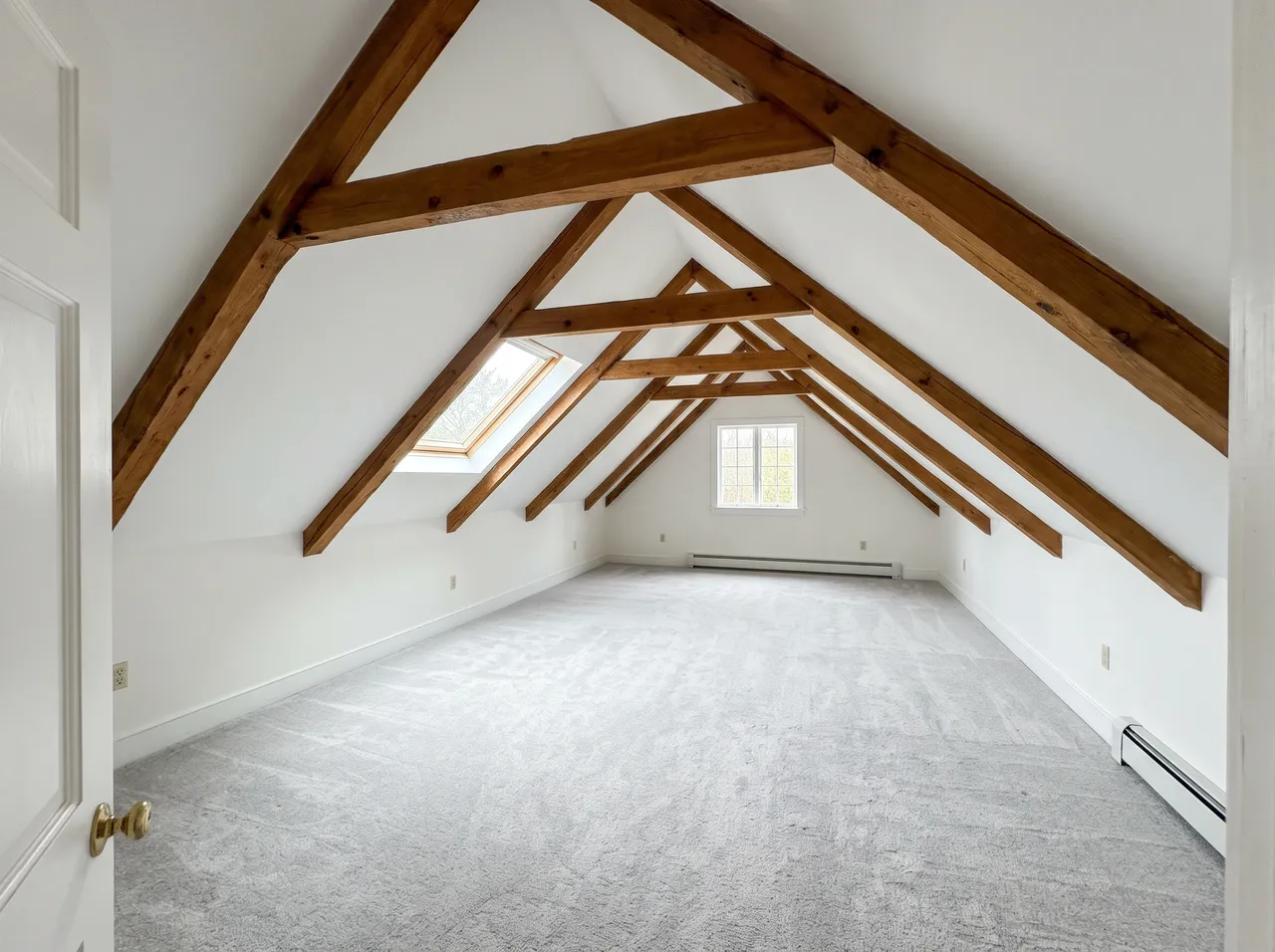
An empty attic bedroom under a sloped ceiling, staged with a low Japandi bed and linen bedding: AfterAn empty attic bedroom under a sloped ceiling, staged with a low Japandi bed and linen bedding: BeforeBeforeAfter

Stage · Bedroom · Japandi

Show the exact instruction: Virtually stage this empty bedroom in a Japandi: low natural-wood furniture, muted earth tones, paper and linen, very little decor interior style. Add furniture, rugs, lighting fixtures, plants and decor sized to fit the room, arranged the way a professional home stager would. Keep the architecture exactly as photographed: walls, windows, doors, floor, ceiling, stairs, built-in fixtures, the view through the windows, the camera angle and the framing must not change. Do not add or remove windows, doors or rooms, do not change the floor area, and do not hide any damage. Add no people, pets, text, logos or watermarks. Keep the photo realistic, with natural light that matches the windows.

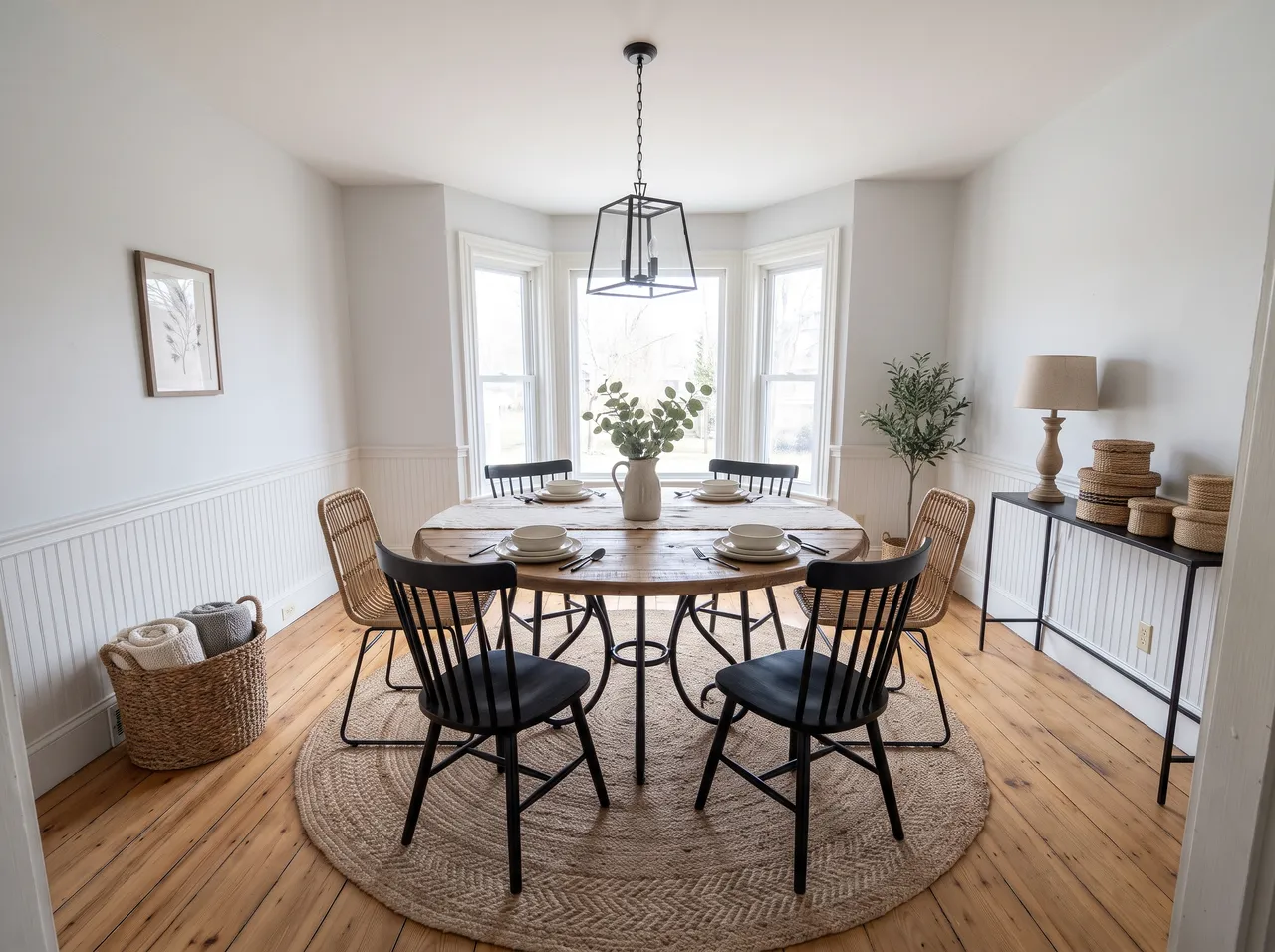
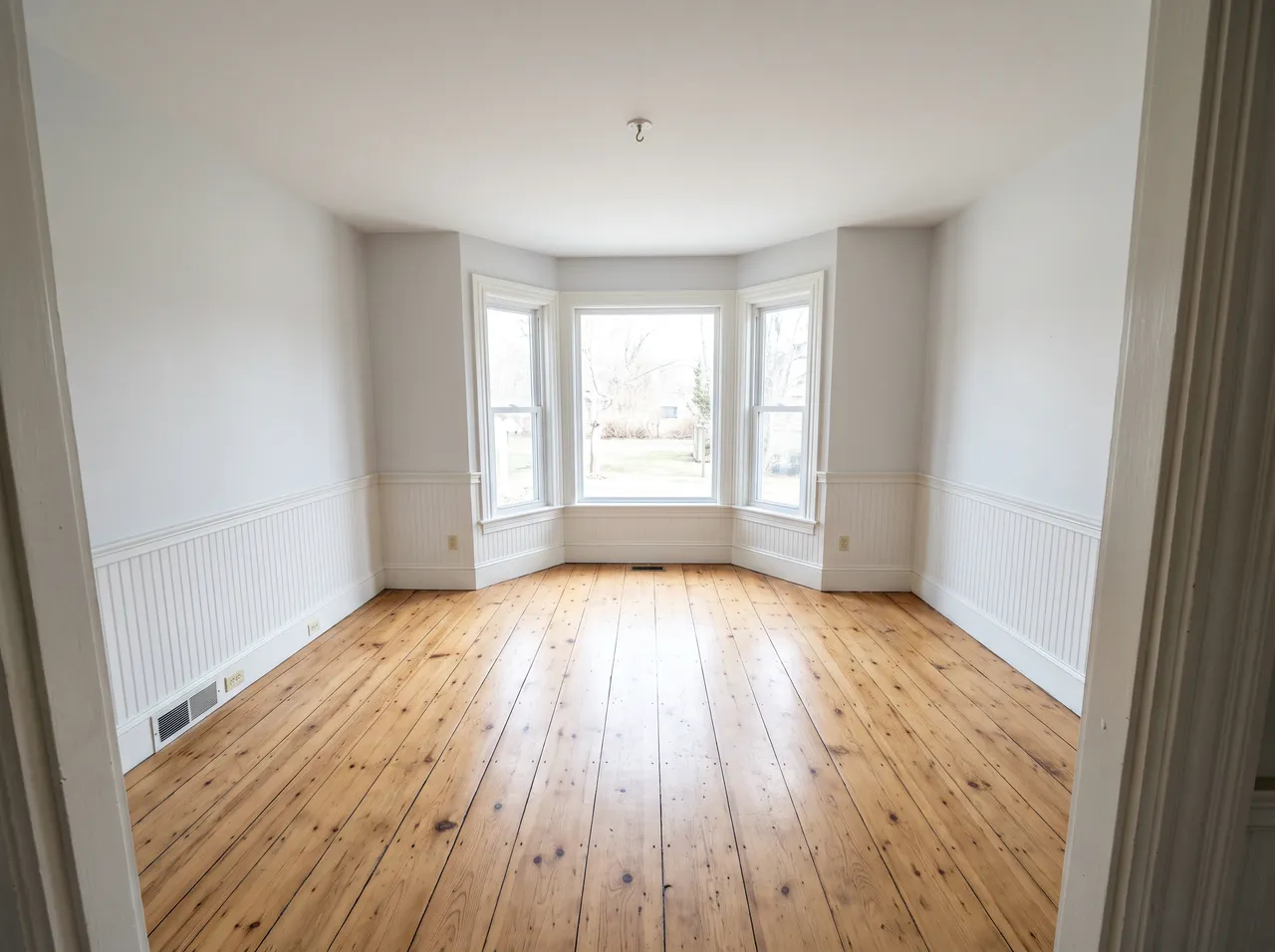
An empty dining room with a bay window, staged with a farmhouse table, benches and a woven pendant: AfterAn empty dining room with a bay window, staged with a farmhouse table, benches and a woven pendant: BeforeBeforeAfter

Stage · Dining room · Farmhouse

Show the exact instruction: Virtually stage this empty dining room in a modern farmhouse: warm whites, distressed wood, black hardware, woven baskets interior style. Add furniture, rugs, lighting fixtures, plants and decor sized to fit the room, arranged the way a professional home stager would. Keep the architecture exactly as photographed: walls, windows, doors, floor, ceiling, stairs, built-in fixtures, the view through the windows, the camera angle and the framing must not change. Do not add or remove windows, doors or rooms, do not change the floor area, and do not hide any damage. Add no people, pets, text, logos or watermarks. Keep the photo realistic, with natural light that matches the windows.

01

Virtual staging that keeps the real room

Virtual staging AI is only useful in a listing if the room underneath is still the room for sale. Every job tells the model to keep the walls, windows, doors, floor, ceiling, stairs, built-ins and the view through the glass, and to change only what is placed in the room. The studio refuses notes that would misrepresent the property, such as adding a window, a sea view or extra floor space, or hiding a crack or damp patch.

02

The structure check and the free re-render

Image models sometimes nudge a window frame or redraw a doorway while they furnish. After each result, your browser compares the strong lines in the upper part of both photos, where furniture rarely sits. When too many of the original lines are missing, the studio says so and offers one free re-render of that room with the same settings. Failed jobs return their credits automatically.

03

Which model stages the room

Quick tries and listing-size photos run on Nano Banana 2.1, Google’s image model. The 4K listing hero runs on Nano Banana Pro and comes with a plan or credit pack; free accounts render at 1K. The exact credit cost of each size shows beside the button before anything runs.

Credits per room

Before every run, the price of that exact room shows next to the button. Plans and credit packs

ModelGood for1K2K4K
Nano Banana 2.1Quick tries at 1K and listing photos at 2K2030—
Nano Banana Pro4K listing heroes for the cover photo——115

Questions

Is AI room design the same as virtual staging?

Here, yes. Stage mode furnishes an empty room for a listing photo, which is what estate agents call virtual staging. Restyle mode, on the AI interior design page, keeps an existing layout and changes the style instead.

Will it change the windows or the size of the room?

It is told not to, and notes asking for it are refused. If a result still looks like a window or door moved, the structure check offers one free re-render of that room.

Do I have to show that a photo is virtually staged?

Many listing platforms and local rules require it. Downloads carry a "Virtually staged" label by default; you can turn it off only after confirming you will disclose the staging in the listing.

Can I stage a room with people in it?

No. Photos with people are refused before any credits are spent. Upload a shot of the room on its own.

Is there a free try?

Yes. Confirm your email and a one-time grant of free credits arrives, enough for one quick 1K room. It is one grant per mailbox.