Declutter a room photo for your listing

To declutter a room photo, upload it, pick the room type and run Declutter: the studio clears personal belongings such as toys, laundry, papers, cables, bottles and fridge magnets, and keeps the main furniture tidy and in place. It suits occupied homes where a full clear-out before the shoot is not realistic. The room itself, walls, windows, floors and fixtures, stays untouched.

From $21.85, with free credits for one quick try at sign-up

Updated

Drop a room photoJPG, PNG or WebP up to 10 MB, no people in the frame. Only your account can see it.

Mode

Quick try 20 credits · listing size 30 credits

Sign up free: 20 credits
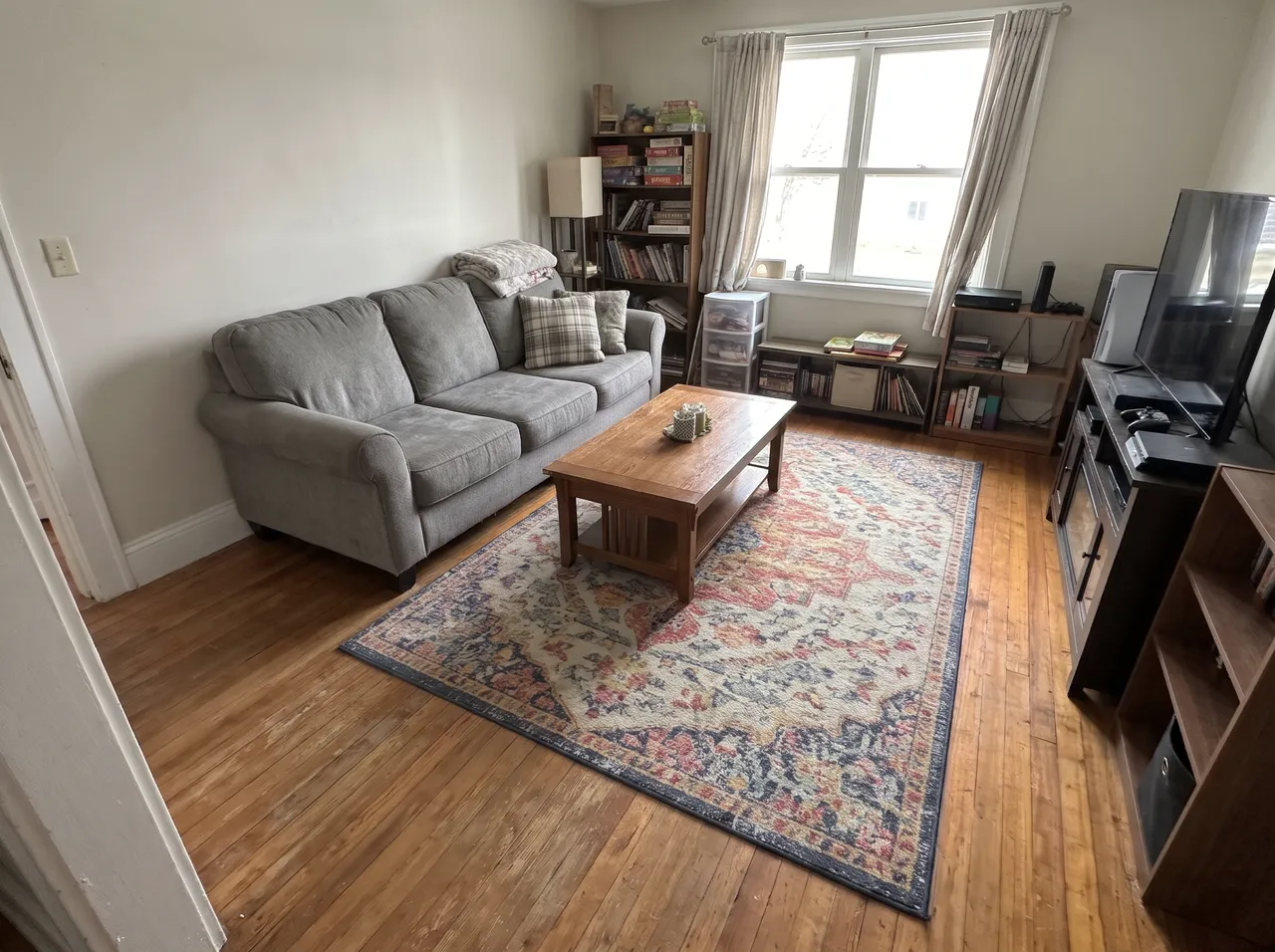
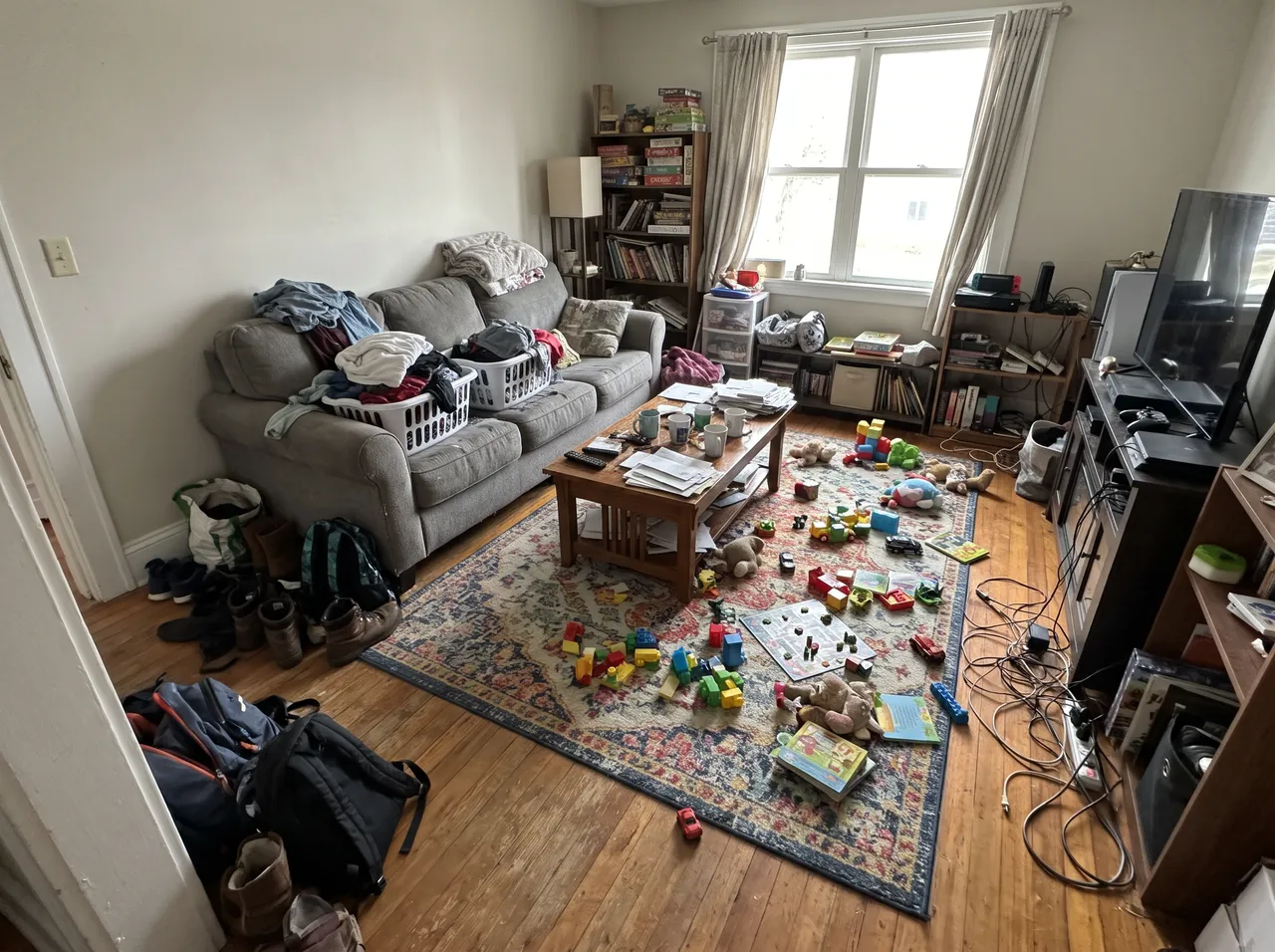
A cluttered living room with toys, laundry and papers, decluttered so only the sofa and tables remain: AfterA cluttered living room with toys, laundry and papers, decluttered so only the sofa and tables remain: BeforeBeforeAfter

How it works

  1. 1

    Upload the lived-in room

    Upload a JPG, PNG or WebP up to 10 MB. The room must be free of people; family photos on the walls are fine, and they are among the things removed.

  2. 2

    Pick Declutter and the room type

    Declutter is selected on this page. Choose the room so the model knows what belongs there, and add a note for anything to keep, for example "leave the bookshelf full".

  3. 3

    Compare, then stage if you like

    Slide between before and after to check nothing structural changed, then download. To furnish the cleared room in a new style, run Stage or Restyle on the result.

Good for

  • Occupied homes photographed before the owners have packed
  • Kitchen worktops crowded with appliances and post
  • Bedrooms and children’s rooms with clothes and toys on show
  • Rental turnovers shot between tenants
A cluttered living room with toys, laundry and papers, decluttered so only the sofa and tables remain: AfterA cluttered living room with toys, laundry and papers, decluttered so only the sofa and tables remain: BeforeBeforeAfter

Declutter · Living room

Show the exact instruction: Declutter this living room for a property listing. Remove personal belongings and clutter: loose items, papers, toys, cables, laundry, bottles, small appliances, photos, magnets and bags. Keep the main furniture where it is, tidy and neat. Keep the architecture exactly as photographed: walls, windows, doors, floor, ceiling, stairs, built-in fixtures, the view through the windows, the camera angle and the framing must not change. Do not add or remove windows, doors or rooms, do not change the floor area, and do not hide any damage. Add no people, pets, text, logos or watermarks. Keep the photo realistic, with natural light that matches the windows.

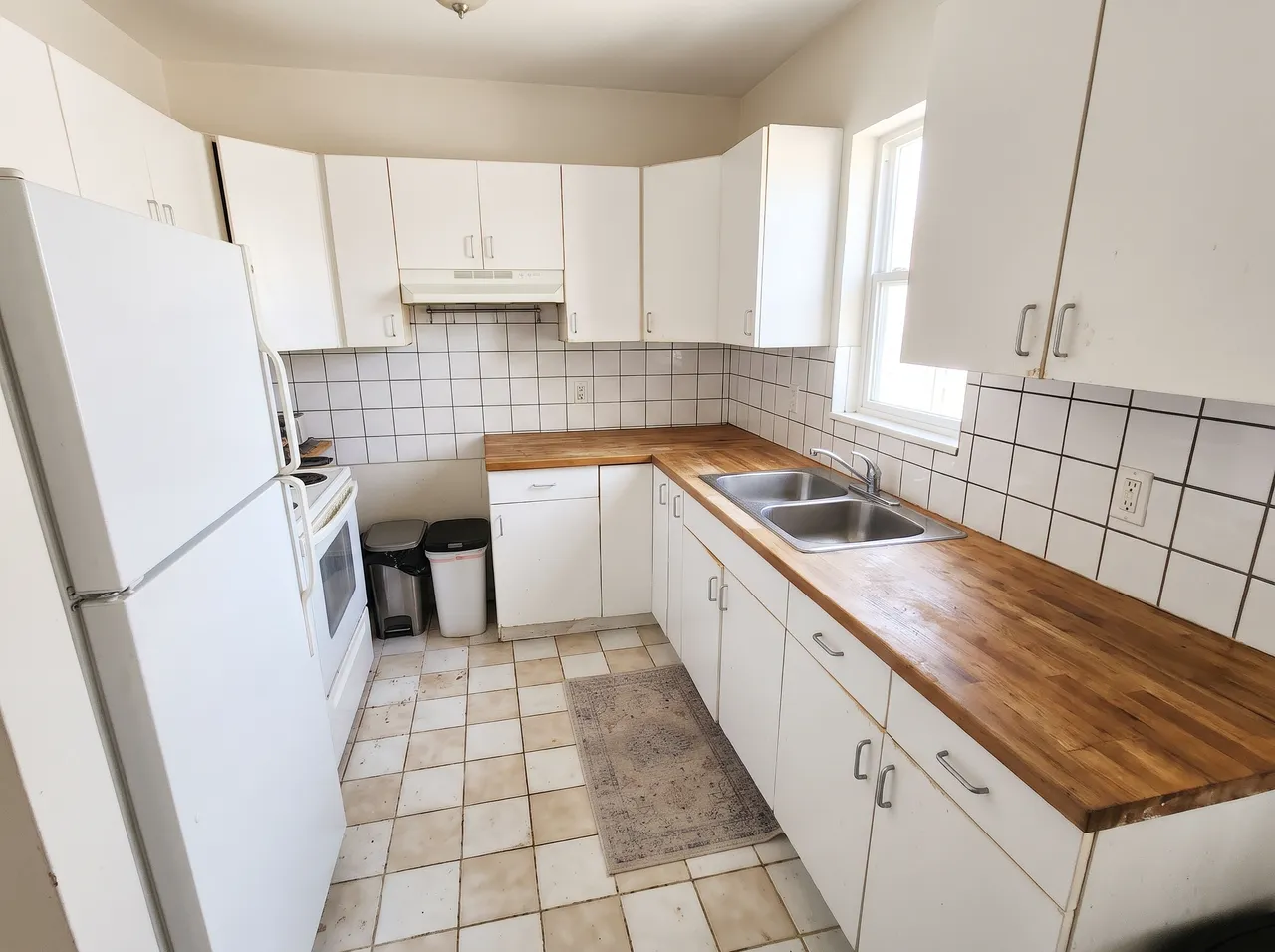
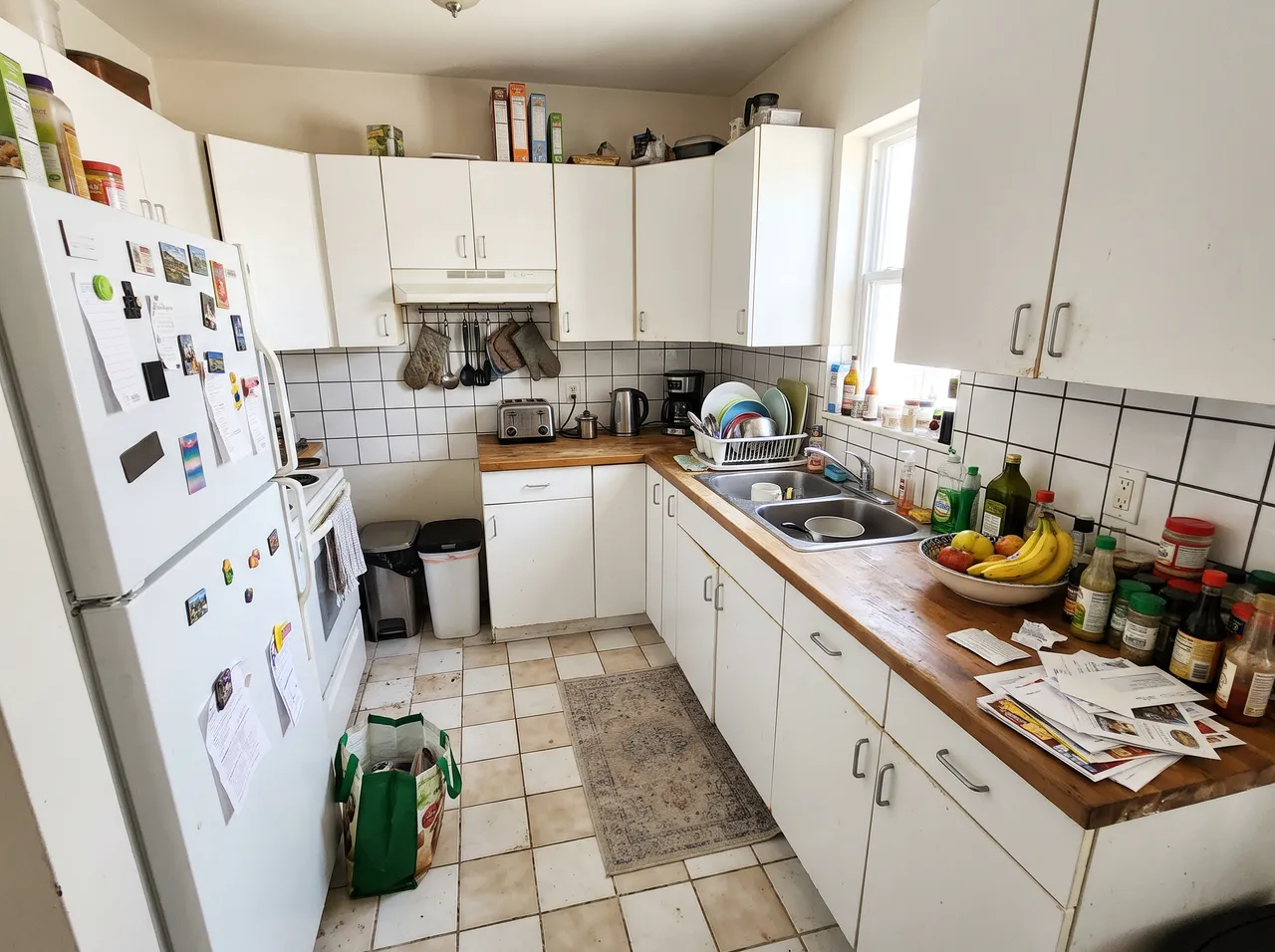
A kitchen counter covered in appliances, bottles and mail, decluttered to clean worktops: AfterA kitchen counter covered in appliances, bottles and mail, decluttered to clean worktops: BeforeBeforeAfter

Declutter · Kitchen

Show the exact instruction: Declutter this kitchen for a property listing. Remove personal belongings and clutter: loose items, papers, toys, cables, laundry, bottles, small appliances, photos, magnets and bags. Keep the main furniture where it is, tidy and neat. Keep the architecture exactly as photographed: walls, windows, doors, floor, ceiling, stairs, built-in fixtures, the view through the windows, the camera angle and the framing must not change. Do not add or remove windows, doors or rooms, do not change the floor area, and do not hide any damage. Add no people, pets, text, logos or watermarks. Keep the photo realistic, with natural light that matches the windows.

01

AI home staging starts with a tidy room

Most AI home staging fails on cluttered photos because the model tries to furnish around piles of belongings. Declutter is the first pass: it removes the personal items and leaves the furniture where it stands. You can stop there for an honest, tidy listing photo, or follow it with Restyle for a full styling pass on the cleared room.

02

What Declutter will not remove

Declutter is about belongings, not the property. It will not hide cracks, damp, mould, stains or water damage, and notes asking it to are refused before any credits are spent. Fixed fittings such as radiators, sockets and built-in cupboards stay, because a buyer will see them on the viewing.

03

Real estate photo editing that stays honest

Downloads carry a small disclosure label by default, which you can switch off only after confirming you will disclose the edit in your listing. Results come at 1K for a quick check, 2K for listing portals and 4K with Nano Banana Pro on a plan or pack.

Credits per room

Before every run, the price of that exact room shows next to the button. Plans and credit packs

ModelGood for1K2K4K
Nano Banana 2.1Quick tries at 1K and listing photos at 2K2030—
Nano Banana Pro4K listing heroes for the cover photo——115

Questions

Does Declutter remove furniture too?

No. It keeps the main furniture in place and tidies around it. To show a room empty and then furnished differently, run Restyle or Stage on the decluttered result.

Can it hide damage before a sale?

No. Removing or covering cracks, damp, mould, stains or other damage is refused, because it would misrepresent the property.

Will a decluttered photo need a disclosure?

Rules differ by market. Downloads carry a disclosure label by default, and you decide whether to remove it after confirming you will disclose the edit in the listing.

What if part of the room changes?

Compare with the slider before you download. If walls, windows or doors look moved, the structure check offers one free re-render of that photo.